 WhatsApp

Huawei M-Pencil Pro Replacement Tips – 4-Pack (Genuine)
£24.88
In stock
| Delivery | 4–5 working days · Fully tracked |
| Returns | 30 Day Returns |
| Warranty | 12-Month Warranty |
| Payment | Airwallex · PayPal · Klarna |
The Huawei M-Pencil Pro Tips (4-Pack) gives you genuine replacement tips for writing, fine notes and drawing. Twist-on design, made for the HUAWEI M-Pencil Pro only.
- ✓ 4 genuine tips: 1 writing, 2 small-font writing, 1 painting
- ✓ Restores smooth, precise feel when your tip is worn
- ✓ Twist off, twist on — no tools needed
- ✓ Compatible with HUAWEI M-Pencil Pro only
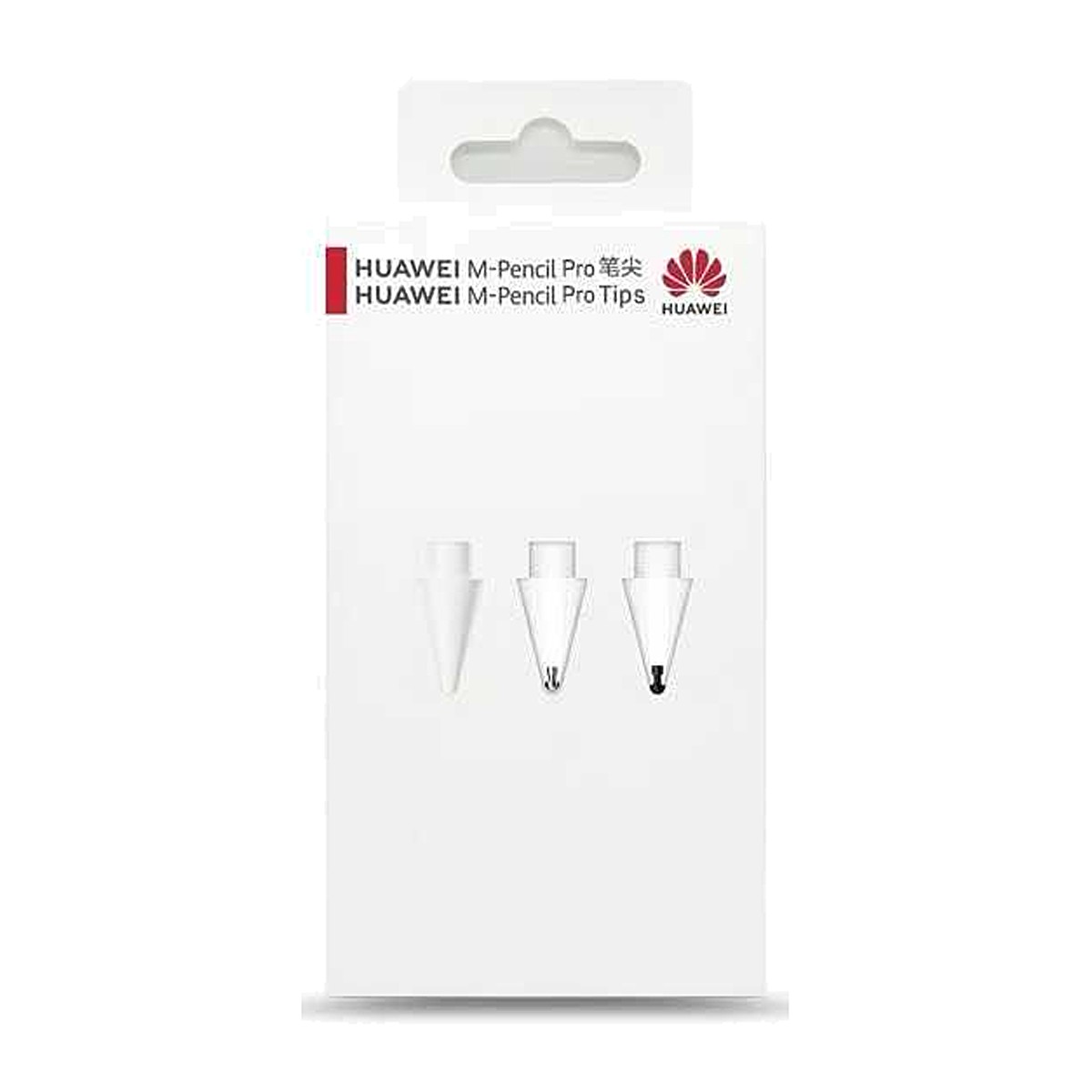
These genuine Huawei M-Pencil Pro tips restore the feel of your stylus and let you switch between writing styles. The official 4-pack includes one white writing tip, two transparent small-font tips and one transparent painting tip, so you can match the nib to note-taking, fine annotation or sketching on your MatePad. The tips twist on and off in seconds and are made for the HUAWEI M-Pencil Pro only.
Choice
Three tip types in one box
Instead of four identical spares, the set gives you a tip for each job. The white writing tip is the everyday choice for notes and handwriting. The two transparent small-font tips have a finer point for small lettering and annotating PDFs, and the transparent painting tip is tuned for sketching, so you can swap to suit the task rather than settling for one feel.
Fit
Made for M-Pencil Pro
These are original Huawei tips for the M-Pencil Pro only. Earlier M-Pencil generations use a different tip and will not fit. Using genuine tips keeps pressure response, tilt behaviour and the feel on the screen as Huawei intended, which third-party nibs often fail to match.
Swap
Twist off, twist on
Changing a tip takes a few seconds: turn the old tip anticlockwise to remove it and screw the new one on clockwise until snug. No tools are needed. Replace a tip when it starts to feel scratchy or looks flattened to protect your screen and keep writing smooth.
Right choice if you…
✔ Own a HUAWEI M-Pencil Pro
✔ Have a worn or scratchy tip
✔ Want separate tips for writing, fine notes and drawing
✔ Prefer genuine Huawei tips over generic nibs
Consider something else if…
✖ You use an M-Pencil 2nd or 3rd generation — these tips will not fit
✖ You need a stylus, not tips — see the Huawei M-Pencil 2nd Generation
✖ You use a Samsung S Pen or Apple Pencil
Technical Specifications
| Brand | Huawei |
| Product | M-Pencil Pro Tips |
| Compatible with | HUAWEI M-Pencil Pro only |
| Pack contents | 4 tips |
| Tip types | 1× writing (white) · 2× small-font writing (transparent) · 1× painting (transparent) |
| Installation | Screw-on, twist to replace |
| Warranty | Manufacturer warranty |
In the Box
Frequently Asked Questions
Do Huawei M-Pencil Pro tips fit the M-Pencil 2nd or 3rd generation?
No. These tips are designed only for the HUAWEI M-Pencil Pro. Earlier M-Pencil models use a different tip, so check which stylus you own before ordering.
What is the difference between the writing, small-font and painting tips?
The white writing tip gives a smooth, slightly textured feel for everyday notes. The two transparent small-font tips have a finer point for small handwriting and annotation, and the transparent painting tip is tuned for sketching and drawing strokes.
How do I change the tip on the M-Pencil Pro?
Turn the worn tip anticlockwise until it comes off, then screw the new tip on clockwise until it is snug. Do not overtighten, and avoid pulling the tip straight out.
How often should I replace an M-Pencil Pro tip?
Replace a tip when it feels scratchy, looks flattened or the metal core starts to show. Heavy daily users typically go through tips faster than occasional note-takers.
Condition
Brand New — Retail Packaging
Warranty
Manufacturer warranty
Delivery
4–5 Working Days · Fully Tracked
Also Available at maibo
Browse the full mobile accessories range at maibo, or see the stylus at Huawei UK.
{“@context”:”https://schema.org”,”@type”:”FAQPage”,”mainEntity”:[{“@type”:”Question”,”name”:”Do Huawei M-Pencil Pro tips fit the M-Pencil 2nd or 3rd generation?”,”acceptedAnswer”:{“@type”:”Answer”,”text”:”No. These tips are designed only for the HUAWEI M-Pencil Pro. Earlier M-Pencil models use a different tip, so check which stylus you own before ordering.”}},{“@type”:”Question”,”name”:”What is the difference between the writing, small-font and painting tips?”,”acceptedAnswer”:{“@type”:”Answer”,”text”:”The white writing tip gives a smooth, slightly textured feel for everyday notes. The two transparent small-font tips have a finer point for small handwriting and annotation, and the transparent painting tip is tuned for sketching and drawing strokes.”}},{“@type”:”Question”,”name”:”How do I change the tip on the M-Pencil Pro?”,”acceptedAnswer”:{“@type”:”Answer”,”text”:”Turn the worn tip anticlockwise until it comes off, then screw the new tip on clockwise until it is snug. Do not overtighten, and avoid pulling the tip straight out.”}},{“@type”:”Question”,”name”:”How often should I replace an M-Pencil Pro tip?”,”acceptedAnswer”:{“@type”:”Answer”,”text”:”Replace a tip when it feels scratchy, looks flattened or the metal core starts to show. Heavy daily users typically go through tips faster than occasional note-takers.”}}]}
Only logged in customers who have purchased this product may leave a review.
Related products
Mobile Phone Accessories
Mobile Phone Accessories
Mobile Phone Accessories
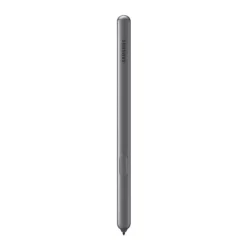
Samsung Tab S6 Digital Pen – Black (Compatible with SM-T860 / SM-T865)

Mobile Phone Accessories
Official Samsung S Pen Green Stylus – For Samsung Galaxy S23 Ultra
Mobile Phone Accessories
Reviews
There are no reviews yet.