 WhatsApp

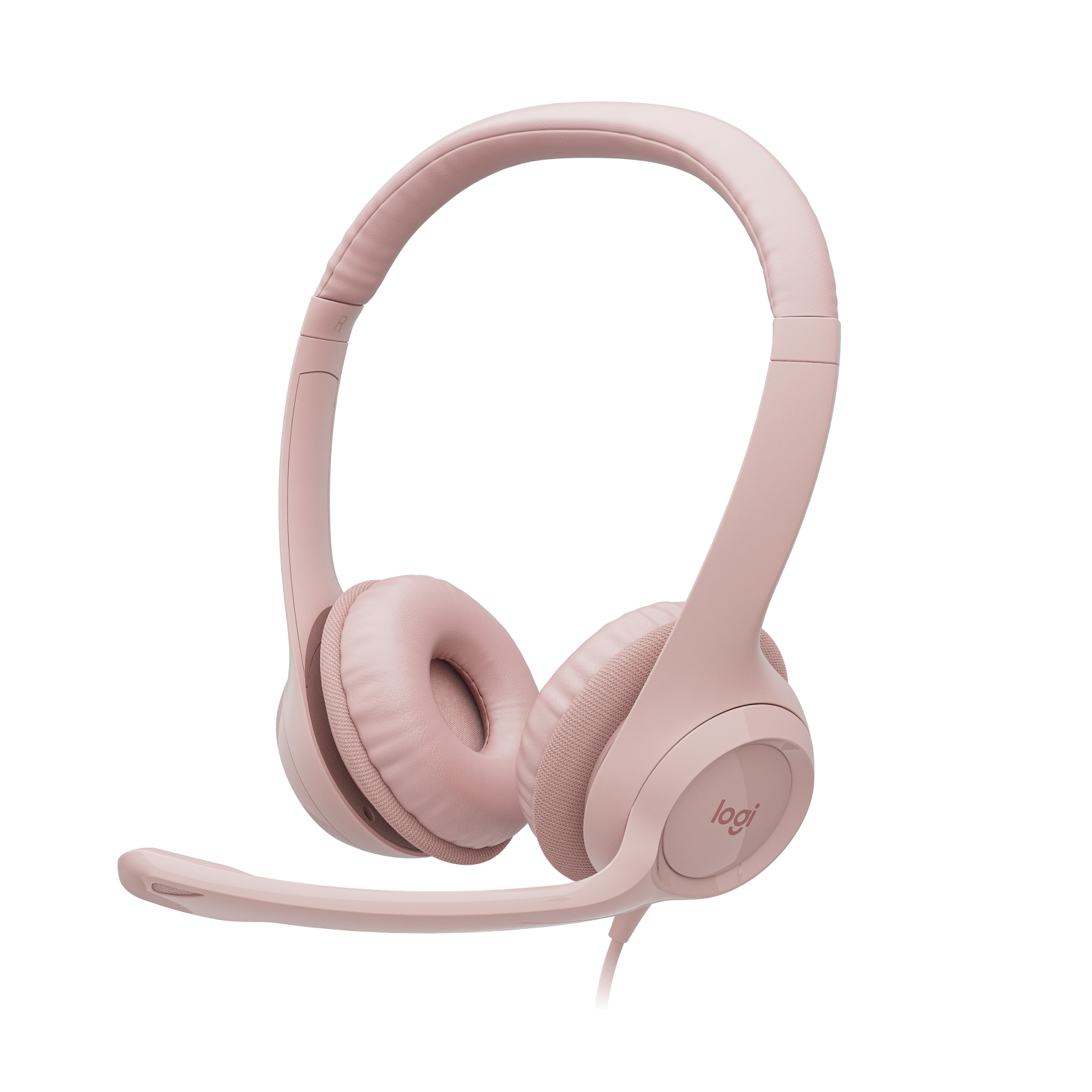
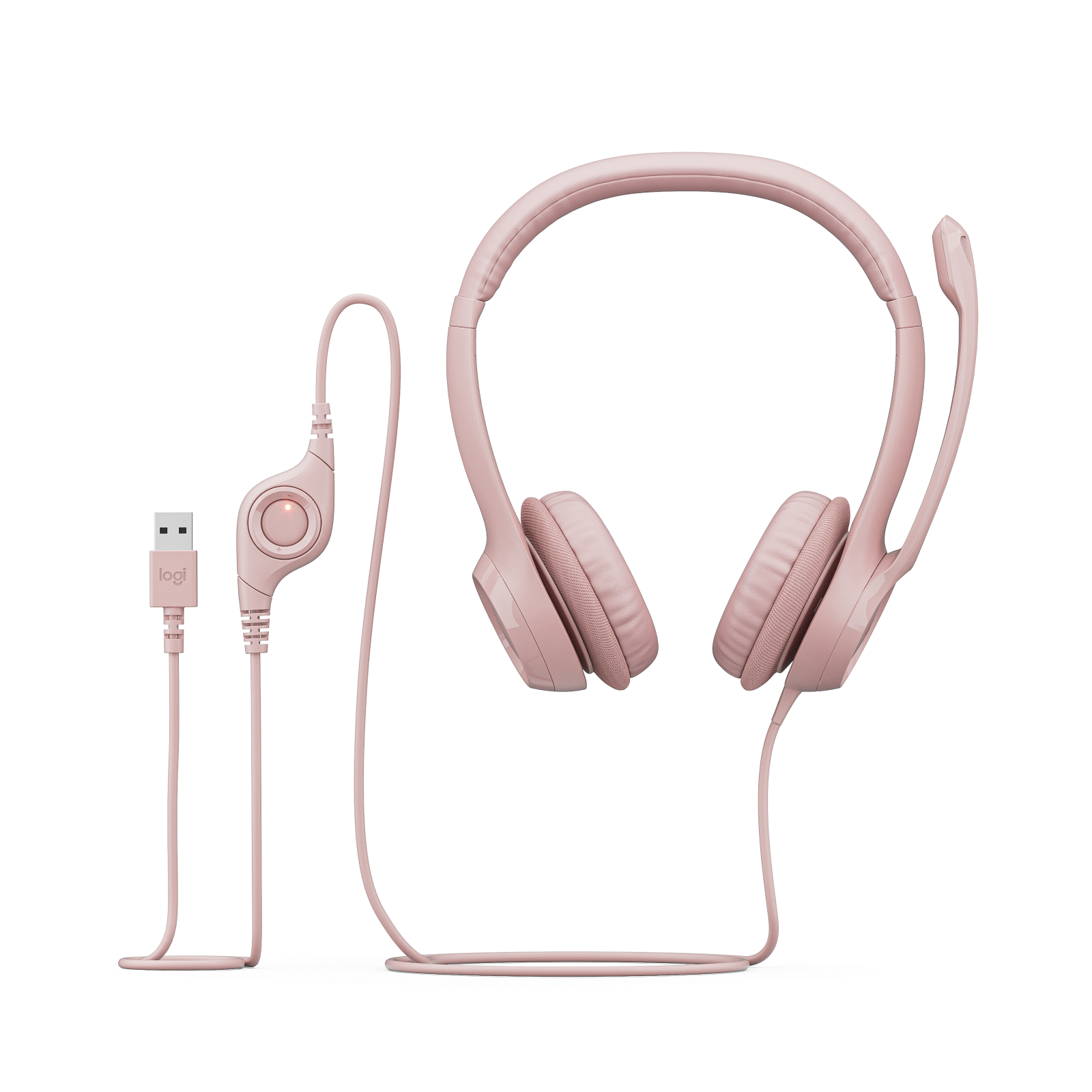
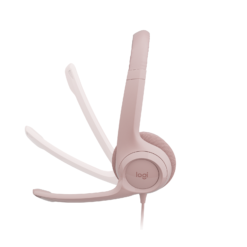
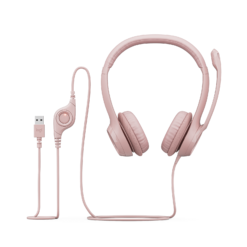
Logitech H390 USB Headset with Noise-Cancelling Mic (Rose)
£28.88
| Colors: Rose |
In stock
| Delivery | 4–5 working days · Fully tracked |
| Returns | 30 Day Returns |
| Warranty | Manufacturer Warranty |
| Payment | Airwallex · PayPal · Klarna |
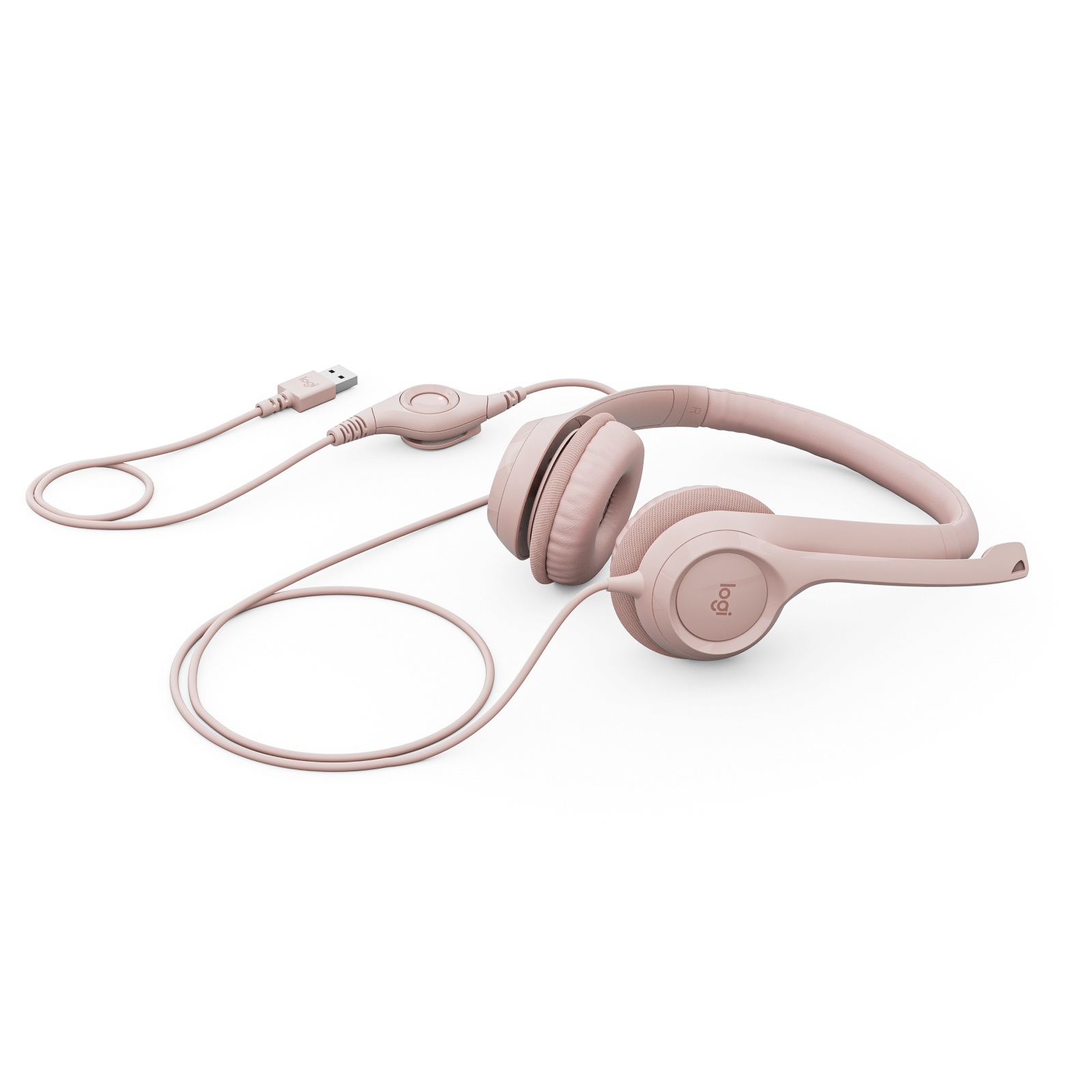
The Logitech H390 USB headset in Rose — model 981-001281, a plug-and-play USB-A computer headset with a noise-cancelling boom microphone, in-line volume and mute controls, 30mm drivers and swivel-mounted leatherette ear cushions. 1.9m cable. Windows, macOS and ChromeOS.
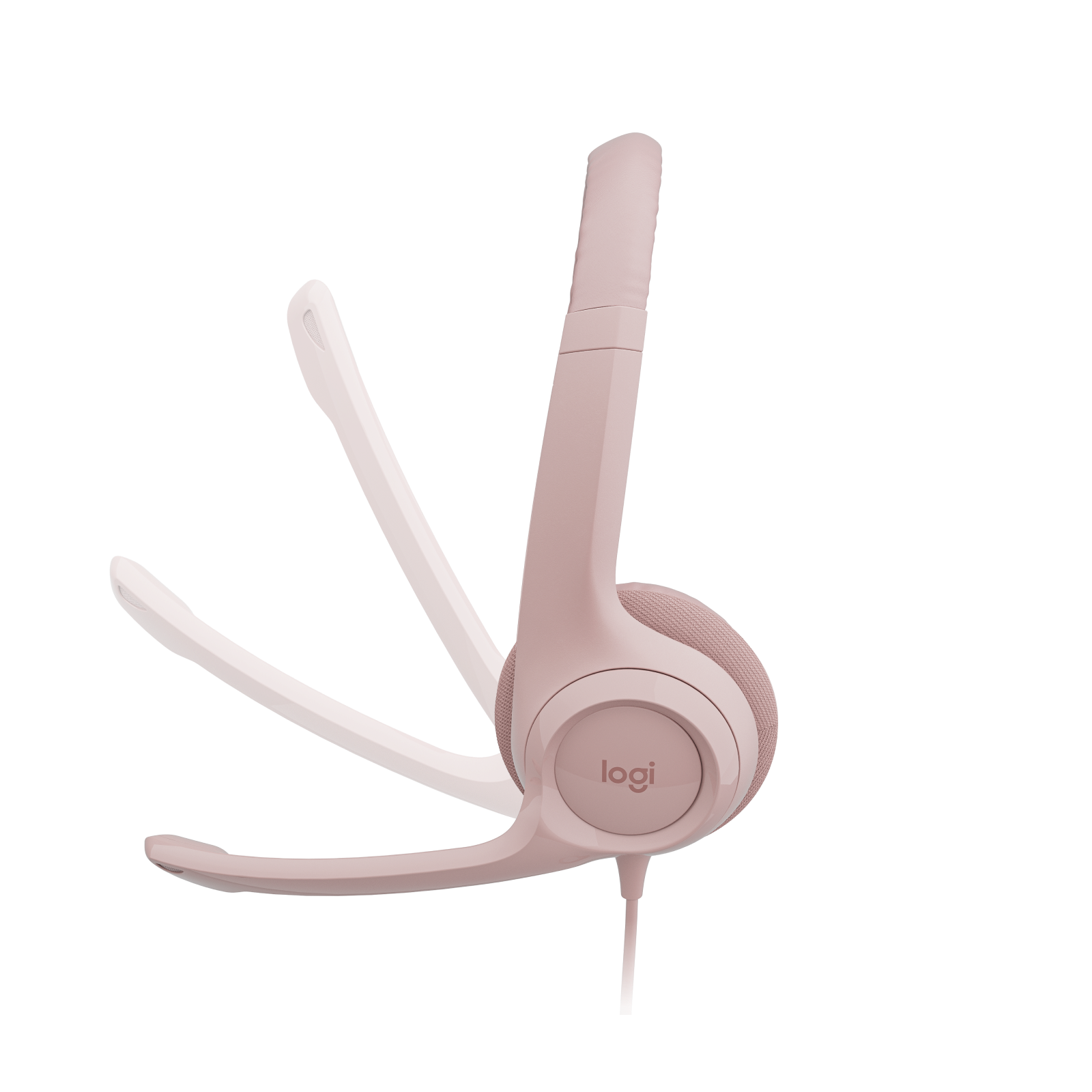
- ✓ Noise-cancelling boom mic — rotates up and out of the way when not in use
- ✓ In-line controls — adjust volume or mute without leaving the call window
- ✓ USB-A plug and play · no drivers, no batteries, no pairing · 1.9m cable
- ✓ 30mm drivers · adjustable headband · leatherette ear cushions · Rose
The Logitech H390 USB Headset Rose is one of the most widely deployed office headsets there is, and the reason is that it removes every excuse for bad call audio. Plug it into a USB-A port and it works — no drivers, no pairing, no battery to run flat halfway through a meeting. The boom microphone sits on the left and cancels much of the background noise around you, then rotates up and out of the way when you just want to listen. Volume and mute live on a small control on the cable, so you can silence yourself without hunting for the button in Teams or Zoom. Fine-tuned 30mm drivers handle voices clearly and music well enough for the gaps between calls. This is model 981-001281 in Rose, supplied new in Logitech retail packaging.
Noise-Cancelling Boom Mic
Why a Boom Mic Beats a Laptop Mic
A laptop’s built-in microphone sits half a metre from your mouth and hears everything else in the room at nearly the same level — the keyboard you are typing on, the fan, a conversation behind you. The H390 puts the microphone on a boom a couple of centimetres from your mouth, so your voice is by far the loudest thing it hears, and its noise-cancelling design further reduces sound arriving from the sides and behind. The practical difference on a call is large: colleagues hear you clearly instead of asking you to repeat yourself, and the constant rustle of a home office or open-plan floor drops away. The boom is rigid enough to stay exactly where you put it, and it rotates up into the headband when you are not speaking, which is how most people wear it between calls. It is mounted on the left side, so wear the headset with the boom on your left for the correct orientation.
USB-A · Plug and Play · In-Line Controls
Nothing to Set Up, Nothing to Charge
The H390 connects over USB-A and is recognised straight away by Windows, macOS and ChromeOS as a standard audio device — there is no software to install and no pairing step. Because it draws power from the USB port, it never needs charging and it never drops out mid-call because a battery has run down, which is the single biggest reason businesses still buy wired headsets for their teams. USB also carries the audio digitally, so the sound is not affected by the quality of the computer’s own headphone socket. The 1.9m cable is long enough to lean back or stand up during a long call without pulling the laptop off the desk. A small control on the cable adjusts volume up and down and mutes the microphone. Having mute on the cable rather than on screen matters more than it sounds: it is the fastest way to silence yourself when someone walks in, without clicking around a meeting window. One thing to check before ordering: the plug is USB-A, the larger rectangular type. Many newer laptops only have USB-C ports and will need a USB-C to USB-A adapter, or the separate USB-C version of this headset.
30mm Drivers · Comfort
Built for a Full Day of Calls
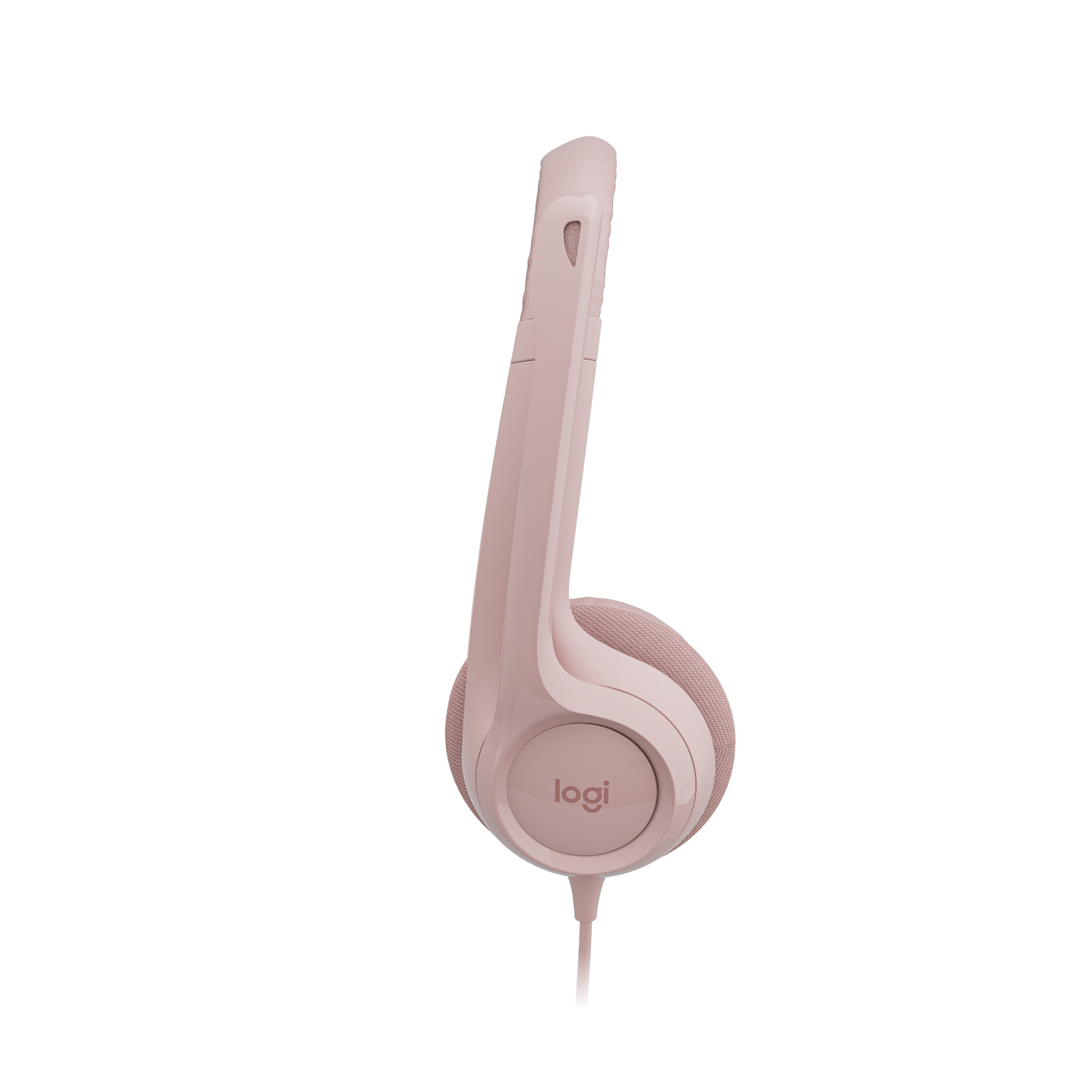
Logitech tuned the 30mm drivers for voice first, so speech comes through clear and intelligible, with enough range for music and video between meetings. The frequency response runs from 20Hz to 20kHz. For comfort, the headband adjusts to your head size and the ear cushions are mounted on swivels, so they angle to sit flat against your ears rather than pressing at one edge. The cushions are leatherette, which wipes clean easily — a practical point for a headset that may be shared on a hot desk. The H390 is an on-ear design: the cushions rest on the ear rather than surrounding it. That keeps it light and cool for long sessions and lets you stay aware of the room, but it does not seal out noise the way a large over-ear headset does. For most office and home working that is the right trade; if you work somewhere very loud, an over-ear headset will isolate better.
Right choice if you…
✔ Spend your day on Teams, Zoom or phone calls and want to be heard clearly
✔ Want a headset that never needs charging or pairing
✔ Are equipping a team or a hot desk and want something simple and easy to clean
✔ Have a computer with a USB-A port
Consider something else if…
✘ Your laptop only has USB-C ports — you will need an adapter, or the USB-C version of the H390
✘ You want to move around freely — this is a wired headset
✘ You work somewhere very loud — the on-ear cushions do not isolate like an over-ear headset
Logitech H390 USB Headset Rose — Technical Specifications
| Brand | Logitech |
| Model | H390 USB Computer Headset |
| MPN | 981-001281 |
| EAN / GTIN | 5099206107298 |
| Colour | Rose |
| Wearing Style | On-ear · adjustable headband · swivel-mounted leatherette cushions |
| Drivers | 30mm |
| Frequency Response | 20Hz – 20kHz |
| Impedance | 32Ω |
| Microphone | Noise-cancelling · rigid rotating boom · left side |
| Controls | In-line · volume up / down · mic mute |
| Connection | USB-A · plug and play |
| Cable Length | 1.9m |
| Compatibility | Windows · macOS · ChromeOS · USB-A port required |
| Warranty | Manufacturer warranty (Logitech) |
In the Box
Frequently Asked Questions
Will it work with my USB-C laptop?
This version has a USB-A plug. If your laptop only has USB-C ports, use a USB-C to USB-A adapter — it works normally through one — or choose the separate USB-C version of the H390.
Do I need to install software?
No. Windows, macOS and ChromeOS recognise the H390 as a standard USB audio device as soon as it is plugged in. If your call app is still using the laptop speakers, select the H390 as the speaker and microphone in the app’s audio settings.
Does it work with Teams and Zoom?
Yes. It works with Microsoft Teams, Zoom, Google Meet, Webex and other calling apps as a standard USB headset. The in-line volume and mute controls work alongside them.
Does it cover my ears or sit on them?
It sits on them. The H390 is an on-ear headset, which keeps it light and cool and lets you hear the room around you. It does not block outside noise the way a large over-ear headset does.
Is the colour the only difference between versions?
Yes. Every colour of the H390 USB-A headset has the same drivers, microphone, controls and cable. Choose the one you prefer — Rose is shown here, and the other colours are linked below.
Condition
Brand New — Retail Packaging
Warranty
Manufacturer warranty (Logitech)
Delivery
4–5 Working Days · Fully Tracked
Also Available at maibo
Browse the full headsets and audio range at maibo.
| Brand | Logitech |
|---|---|
| Colors |
Be the first to review “Logitech H390 USB Headset with Noise-Cancelling Mic (Rose)”
You must be logged in to post a review.
Related products
Wired Earphones

Reviews
There are no reviews yet.