 WhatsApp

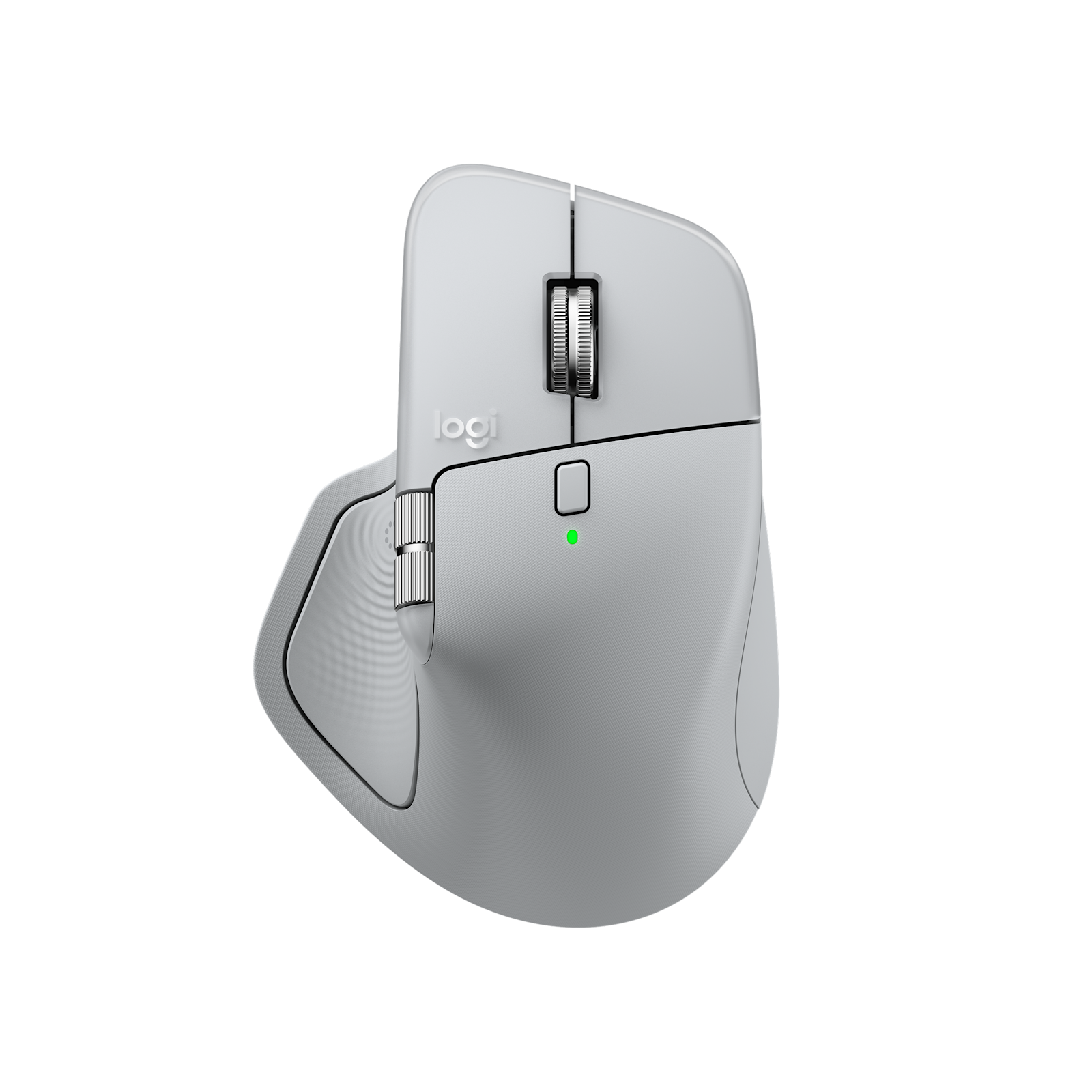
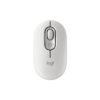
Logitech MX Master 4 Wireless Mouse – Pale Grey
£98.98
In stock
| Delivery | 4–5 working days · Fully tracked |
| Returns | 30 Day Returns |
| Warranty | Manufacturer Warranty |
| Payment | Airwallex · PayPal · Klarna |
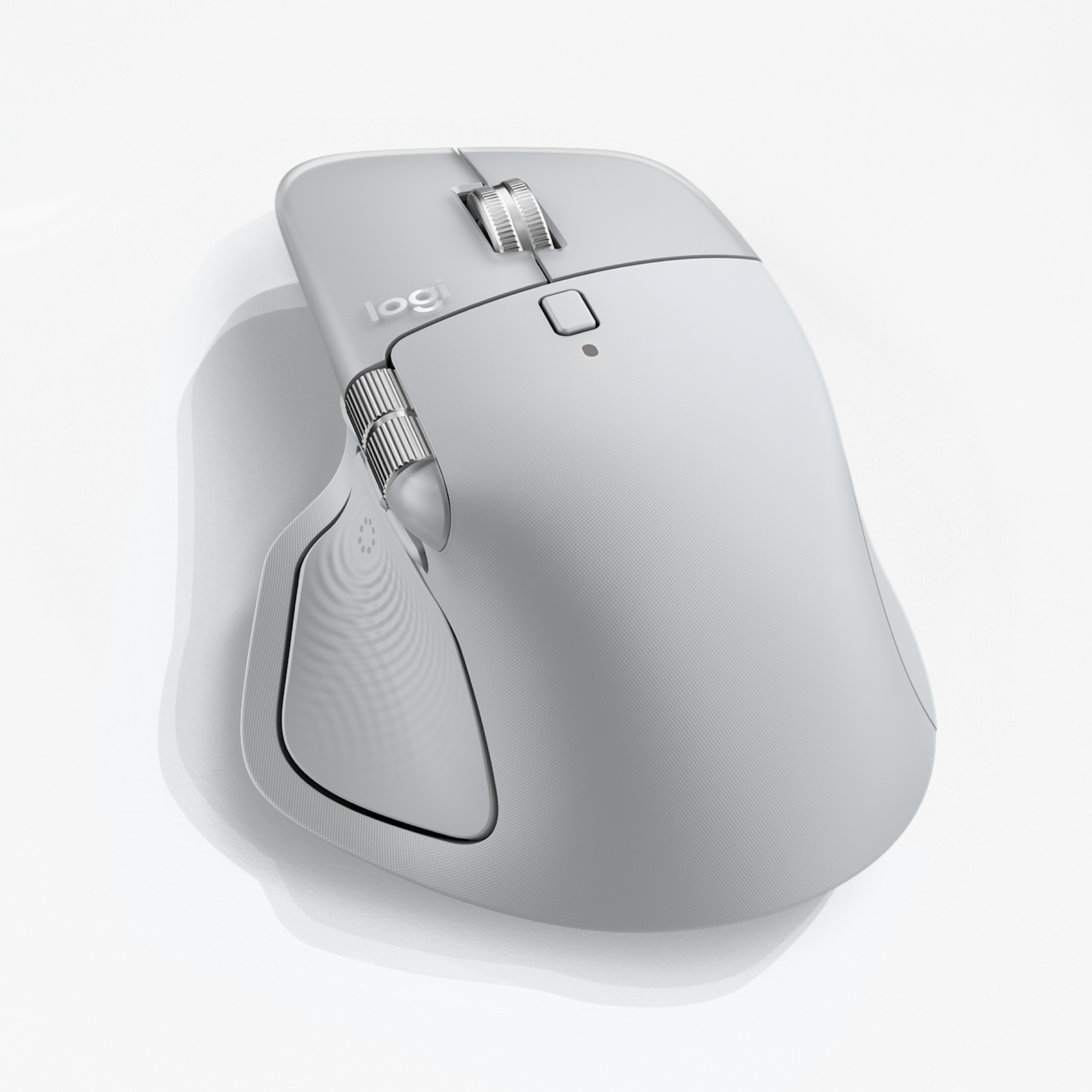
The Logitech MX Master 4 wireless mouse in Pale Grey — model 910-007563, Logitech’s flagship productivity mouse with a haptic feedback panel, the new Actions Ring shortcut button, an 8,000 DPI Darkfield sensor that tracks even on glass, the MagSpeed scroll wheel, Quiet Click buttons and up to 70 days of battery. Logi Bolt USB-C receiver and Bluetooth.
- ✓ Haptic Sense Panel — feel snaps, switches and notifications under your thumb
- ✓ Actions Ring — your tools and shortcuts at the cursor, one button away
- ✓ 8K DPI Darkfield sensor — tracks on virtually any surface, even glass (4mm+)
- ✓ Up to 70 days per charge · 1-minute quick charge = 3 hours · Logi Bolt USB-C + Bluetooth
The Logitech MX Master 4 wireless mouse is the first MX Master you can feel as well as use. Under the thumb sits a Haptic Sense Panel that gives a small, precise pulse when an image snaps to a grid, a slider hits its mark, you switch devices or the battery needs charging. Beside it is a new button that opens the Actions Ring — a circle of your chosen tools and shortcuts that appears right at the cursor, so you stop travelling to menus. Everything that made the MX Master 3S the default for designers, developers and analysts carries over and improves: the MagSpeed wheel that scrolls a thousand lines a second, an 8,000 DPI Darkfield sensor that works even on glass, Quiet Click buttons, three-device switching and around 70 days per charge. It now connects through a Logi Bolt receiver with a USB-C plug, and Logitech rates the connection as twice as strong as the 3S. This is model 910-007563 in Pale Grey.
Haptic Sense Panel · Actions Ring
What Is Actually New on the MX Master 4
Two things separate the MX Master 4 from the 3S. The first is haptics. A panel under your thumb produces short, localised vibrations tied to what is happening on screen — a snap when an object aligns in a design app, a tick as you step through a slider, a pulse when you switch to another computer or the battery runs low. It sounds like a gimmick until you notice you are no longer looking to confirm things happened. Intensity is adjustable, and plugins add support for third-party apps through Logi Options+. On Windows 11, Logitech also supports the operating system’s native Advanced Haptics, controlled from Windows settings, after the Windows update from the end of March 2026 and a firmware update through Options+. The second is the Actions Ring. Press the dedicated button and a ring of shortcuts appears around the cursor — tools, filters, commands, whatever you assign, and it can change per app. Logitech’s own study of 37 MX users found up to 33% time saved on common actions; your saving depends on what you put in the ring. Both features need the free Logi Options+ app on Windows or macOS.
8K DPI Darkfield · MagSpeed · Quiet Click
The Fundamentals, Refined
The Darkfield sensor tracks at up to 8,000 DPI on almost any surface, including glass desks of 4mm or thicker — the surface that defeats most optical mice. High DPI matters on large and high-resolution monitors, where it lets a small hand movement cross the whole screen without losing pixel-level precision. The MagSpeed wheel is machined steel held by electromagnets rather than a mechanical ratchet. In ratchet mode it clicks line by line for precise work; flick it and it switches to free-spin, running through up to a thousand lines a second — a long spreadsheet or a code file in one motion — and it does this almost silently. A thumb wheel on the side scrolls horizontally, which is the control people miss most when they go back to an ordinary mouse after using a timeline or a wide spreadsheet. Quiet Click buttons keep the tactile feel of a click with far less noise, so the mouse does not carry across a shared office or into a call. There are eight buttons in total, all customisable per application in Options+.
Logi Bolt USB-C · 3 Devices · 70 Days
Connection and Power — Read Before Ordering
The MX Master 4 connects two ways: through the included Logi Bolt receiver, or over Bluetooth. The Bolt receiver now has a USB-C plug rather than USB-A, which suits modern laptops. If your computer only has the older rectangular USB-A ports, use Bluetooth instead or a small USB-C to USB-A adapter. The mouse pairs with up to three devices and switches between them with the Easy-Switch button or from the Actions Ring, and Logitech Flow lets you move the cursor, and copy and paste files and text, between computers running Options+. The battery is built in and rated at up to 70 days on a full charge; one minute on a USB-C cable gives about three hours of use, and you can keep working while it charges. One point that catches buyers out: a charging cable is not included in the box. Any standard USB-C cable works — most people already have one from a phone or laptop. It works out of the box with Windows, macOS, ChromeOS, Linux, iPadOS and Android for basic functions; haptics, Actions Ring and button customisation need Options+ on Windows or macOS.
Right choice if you…
✔ Work in design, video, spreadsheets or code and want shortcuts at the cursor
✔ Use large or multiple monitors, or work on a glass desk
✔ Move between two or three computers during the day
✔ Want the newest MX Master rather than the previous 3S
Consider something else if…
✘ You do not need haptics or the Actions Ring — the MX Master 3S offers the same shape and sensor for less
✘ You are left-handed — the MX Master 4 is a right-handed ergonomic shape
✘ You want a small travel mouse — at 150g it is a full-size desk mouse; the Logitech POP Mouse is far smaller
Logitech MX Master 4 Wireless Mouse — Technical Specifications
| Brand | Logitech |
| Model | MX Master 4 |
| MPN | 910-007563 |
| EAN / GTIN | Printed on retail packaging |
| Colour | Pale Grey |
| Sensor | Darkfield high precision · up to 8,000 DPI · tracks on glass (4mm minimum) |
| Buttons | 8 · Quiet Click · customisable in Logi Options+ |
| Haptics | Haptic Sense Panel · adjustable · Windows 11 native haptics supported |
| Scroll | MagSpeed electromagnetic wheel · up to 1,000 lines per second · thumb wheel |
| Connection | Logi Bolt USB-C receiver (included) · Bluetooth Low Energy |
| Multi-Device | Up to 3 devices · Easy-Switch · Logitech Flow |
| Battery | Rechargeable · up to 70 days · 1-minute quick charge = ~3 hours |
| Charging | USB-C · cable not included |
| Weight | 150g |
| Dimensions | 128.15 × 88.35 × 50.8mm |
| Compatibility | Windows 10/11 · macOS 12+ · ChromeOS · Linux · iPadOS 15+ · Android 12+ (basic functions without software) |
| Software | Logi Options+ (Windows · macOS) for haptics, Actions Ring and customisation |
| Warranty | Manufacturer warranty (Logitech) |
In the Box
Frequently Asked Questions
Is a charging cable included?
No. Logitech ships the MX Master 4 without a charging cable. It charges from any standard USB-C cable, such as the one from a phone or laptop, and one minute of charging gives around three hours of use.
My computer only has USB-A ports — will it work?
Yes. The included Logi Bolt receiver has a USB-C plug, so on a USB-A-only computer either connect over Bluetooth, which most computers support, or use a small USB-C to USB-A adapter for the receiver.
Do the haptics and Actions Ring need software?
Yes — both are set up in the free Logi Options+ app for Windows and macOS. Without it, the mouse still works fully as a mouse, including the MagSpeed wheel and thumb wheel. On Windows 11 the native Advanced Haptics feature can also be used after the Windows update from late March 2026 and a firmware update in Options+.
Does it work on a glass desk?
Yes. The Darkfield sensor tracks on glass that is at least 4mm thick, as well as on wood, fabric and most other surfaces.
How is it different from the MX Master 3S?
The MX Master 4 adds the Haptic Sense Panel and the Actions Ring button, moves the Bolt receiver to USB-C with a connection Logitech rates as twice as strong, and has quieter clicks. It is slightly heavier at 150g against 141g. The shape, 8K sensor, MagSpeed wheel and 70-day battery are shared.
Condition
Brand New — Retail Packaging
Warranty
Manufacturer warranty (Logitech)
Delivery
4–5 Working Days · Fully Tracked
Also Available at maibo
Browse the full mice and peripherals range at maibo.
| Brand | Logitech |
|---|---|
| Colors |
Be the first to review “Logitech MX Master 4 Wireless Mouse – Pale Grey”
You must be logged in to post a review.
Related products
Reviews
There are no reviews yet.