 WhatsApp
Logitech C270i HD Webcam
£16.88
| Brand: Logitech | |
| C270: c270i |
In stock
| Delivery | 4–5 working days · Fully tracked |
| Returns | 30 Day Returns |
| Warranty | 12-Month Warranty |
| Payment | Airwallex · PayPal · Klarna |
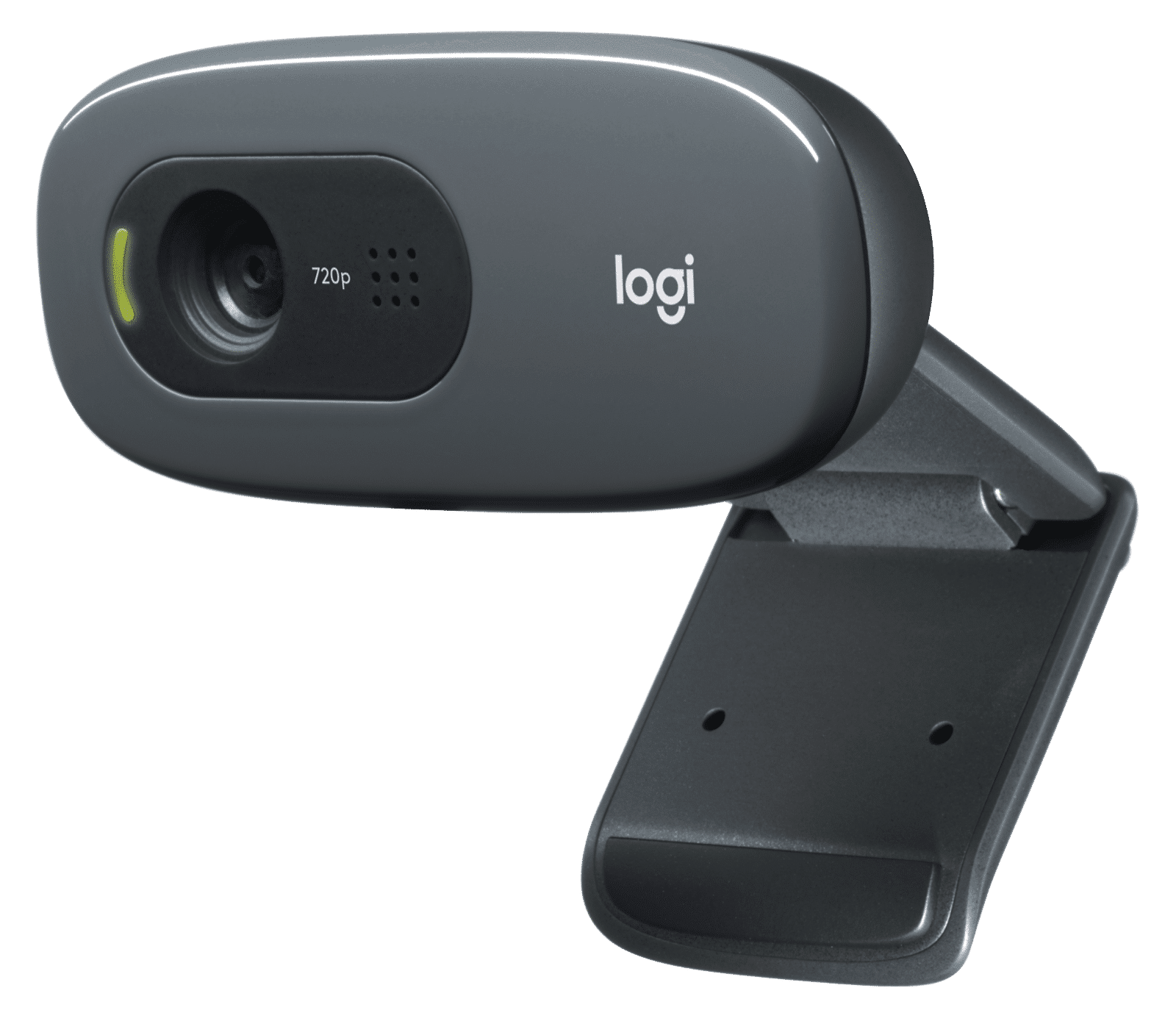
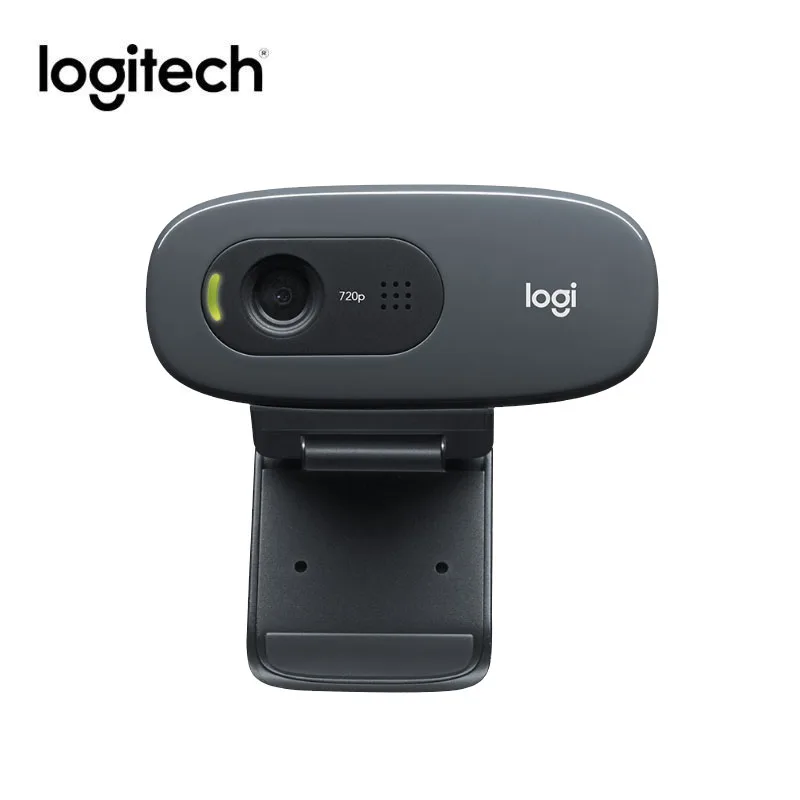
The Logitech C270i HD webcam — 720p video at 30fps, 60° field of view, fixed focus lens optimised for 0.4–5m, built-in omnidirectional microphone, USB 2.0 plug-and-play. Compatible with Windows, macOS and Linux. Approximately 75g. Black.
- ✓ 720p HD at 30fps · 60° field of view · fixed focus optimised for 0.4–5m desk range
- ✓ Built-in omnidirectional microphone · hands-free calls and voice input
- ✓ USB 2.0 plug-and-play — no driver installation · Windows, macOS, Linux
- ✓ Universal clip — fits flat monitors, laptop screens and shelves · ~75g
The Logitech C270i HD webcam — 720p video at 30fps, 60° field of view, fixed focus lens optimised for 0.4–5m, built-in omnidirectional microphone, USB 2.0 plug-and-play. Compatible with Windows, macOS and Linux. Approximately 75g. Black.
- ✓ 720p HD at 30fps · 60° field of view · fixed focus optimised for 0.4–5m desk range
- ✓ Built-in omnidirectional microphone · hands-free calls and voice input
- ✓ USB 2.0 plug-and-play — no driver installation · Windows, macOS, Linux
- ✓ Universal clip — fits flat monitors, laptop screens and shelves · ~75g
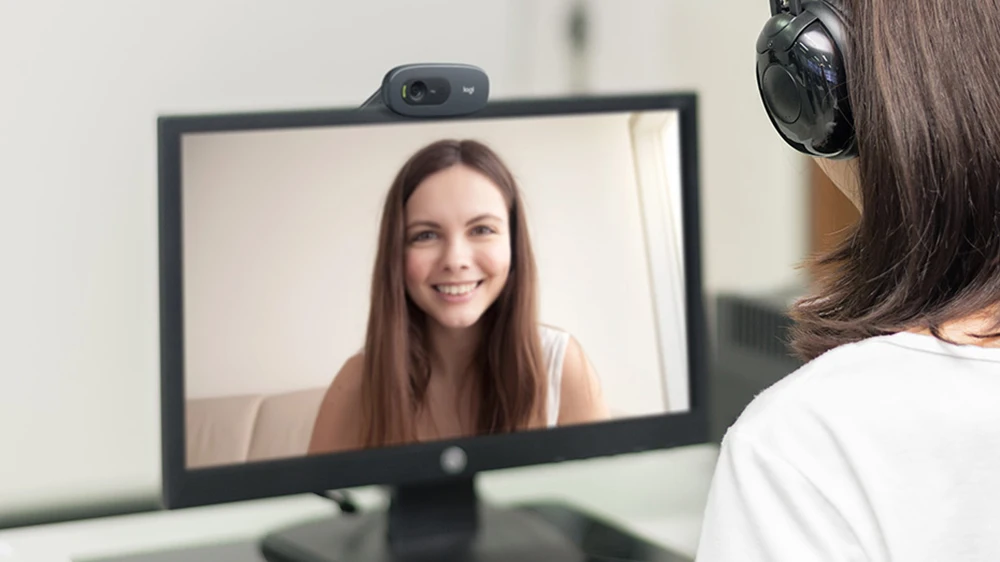
The Logitech C270i is Logitech’s entry-level HD webcam — a straightforward 720p USB webcam designed for video calling, online classes, remote work and casual streaming where the priority is reliable plug-and-play functionality at a compact size and modest price. The C270i delivers 1280×720 HD video at 30 frames per second through a fixed-focus lens calibrated for the 0.4–5 metre working range that covers standard desk and monitor positions. Fixed focus means the lens is set at the factory for clear capture in this distance range without the camera needing to hunt for focus during use — a practical advantage for calls where a small subject movement might cause an autofocus system to briefly defocus. The built-in omnidirectional microphone captures voice for calls without requiring a separate headset or microphone. USB 2.0 plug-and-play: connect to any USB-A port on Windows, macOS or Linux and the camera is immediately available as a video input device — no driver download or software installation required. The universal clip fits flat panel monitors, laptop lids and can stand on a shelf or desk. Zoom, Microsoft Teams, Google Meet and all standard video conferencing platforms recognise the C270i immediately on connection.
720p · Fixed Focus · 60° FOV
Video Specs for Everyday Calls
The C270i captures at 1280×720 pixels — HD resolution that is a substantial improvement over the VGA (640×480) built-in cameras found in many older laptops and the lowest-tier webcams. At 30fps, video is smooth and natural for face-to-face calling. The 60° diagonal field of view is calibrated for a single user at standard desk distance — it shows the face, upper body and a moderate band of background without the perspective distortion that wider angle lenses introduce at close range. Fixed focus at 0.4–5m is the appropriate optical design for a webcam used at a desk: the camera is factory-set to be sharp across this entire range, which means it is in focus from the moment it is connected without any focus hunting or adjustment delay. The focus will not drift during a call when the user moves slightly. The C270i does not include RightLight or automatic exposure correction — lighting conditions affect the image quality directly, and users in poorly lit rooms or with bright backgrounds will see the effect in the video output. For best results, face toward a light source (window or lamp in front rather than behind). MJPEG and YUY2 output formats ensure compatibility with all standard video capture and conferencing software.
Built-In Mic · Plug-and-Play
Ready in Seconds, No Setup
The built-in omnidirectional microphone captures audio from all directions around the webcam — voice from the front, at the typical call distance of 60–80cm from monitor height. The microphone is a single-channel mono unit, which is standard for entry-level webcams. It provides adequate voice clarity for standard video calls in quiet-to-moderate room environments. In noisy rooms or open-plan offices, a headset microphone will perform better as it captures voice from a much shorter distance. The USB 2.0 connection uses the USB Audio Class and USB Video Class standards, which are built into Windows 7 and later, macOS 10.7 and later, and most Linux distributions — no manufacturer driver download is required, and no Logitech software needs to be installed for basic camera and microphone operation. The camera appears immediately in the system as a standard webcam and USB audio input device. Logitech’s optional Capture software and G HUB provide additional controls (zoom, brightness, contrast) but are not required for use. The universal clip mechanism on the base of the C270i adjusts to grip flat panel monitor tops, laptop lids, and desktop monitors of different thicknesses. The camera can also be placed on a flat surface facing forward.
C270i vs C270 · What’s Different
The IPTV Variant Explained
The C270i is Logitech’s IPTV-optimised variant of the C270 platform, originally developed for the Asian market and set-top box / IPTV device pairing applications. The differences from the standard C270 are: the C270i uses a fixed-focus lens rather than the C270’s fixed focus with a slightly different calibration range; the microphone on the C270i is a mono omnidirectional unit rather than the C270’s dual-microphone arrangement with noise reduction; and the C270i does not include the RightLight 2 automatic exposure correction that the C270 provides. For standard video call use at a desk with reasonable lighting, the C270i performs identically to the C270 in most conditions — both capture 720p at 30fps with a similar field of view. The C270i is a practical choice when the primary requirement is a reliable, compact 720p webcam for Zoom, Teams, Meet or Webex at an accessible price, and the advanced features of the C920e (1080p, glass lens, RightLight 2) are not required. The C270i is plug-and-play on all platforms and works immediately with any video conferencing software.
Right choice if you…
✔ Need a basic 720p USB webcam for video calls that works instantly without any software setup
✔ Sit at a fixed distance from the screen in reasonable lighting — fixed focus, no autofocus hunting
✔ Want the lowest-cost Logitech webcam that still delivers HD video over a built-in laptop camera
✔ Use any platform — Zoom, Teams, Meet, Webex, Skype — all recognise it immediately
Consider something else if…
✖ You need 1080p Full HD — the C270i captures at 720p only; see the Logitech C920e for 1080p with glass lens and RightLight 2
✖ You work in variable or challenging lighting — no automatic exposure correction; the C920e’s RightLight 2 handles backlit and low-light conditions significantly better
✖ You need high-quality microphone audio — the single mono mic is adequate for calls but not for recording or streaming where audio quality matters
Technical Specifications
| Brand | Logitech |
| Model | C270i HD Webcam |
| MPN | 960-001084 |
| EAN / GTIN | 6920377904913 |
| Video Resolution | 720p (1280×720) at 30fps |
| Field of View | 60° diagonal |
| Focus | Fixed · optimised for 0.4–5m |
| Video Format | MJPEG · YUY2 |
| Microphone | Built-in omnidirectional · mono |
| Connection | USB 2.0 · plug-and-play |
| Light Correction | None — no RightLight |
| OS Compatibility | Windows 7+ · macOS 10.7+ · Linux |
| Weight | ~75g |
| Warranty | Manufacturer warranty (Logitech) |
In the Box
Logitech C270i HD webcam with integrated USB cable and universal clip
Frequently Asked Questions
What is the difference between the C270i and the C270?
The C270i is the IPTV-optimised variant (MPN 960-001084) with a mono microphone and no RightLight automatic exposure correction. The standard C270 (MPN 960-000694 or 960-001063) includes a dual-microphone arrangement with noise reduction and RightLight 2. For standard desk video calls in reasonable lighting, both deliver equivalent 720p/30fps video. If lighting conditions vary or call audio quality is important, the C270 or C920e is the better choice.
Does the C270i work with a USB-C laptop?
The C270i uses a USB-A connector. Most USB-C laptops include at least one USB-A port. If your laptop has USB-C only, a USB-A to USB-C adapter or a USB hub with USB-A ports connects the camera without issue — it is USB 2.0 and functions on any USB port including via adapter.
Does the C270i require Logitech software?
No — the C270i is fully plug-and-play on Windows 7+, macOS 10.7+ and Linux. No driver or software installation required. The video feed is available in any application immediately on connection. Logitech’s optional software provides additional controls but is not needed for basic camera and microphone operation.
Condition
Brand New — Retail Packaging
Warranty
Manufacturer warranty (Logitech)
Delivery
4–5 Working Days · Fully Tracked
Also Available at maibo
Browse the full webcams and peripherals range at maibo.
| Weight | 0.18 kg |
|---|---|
| Dimensions | 5 × 5 × 5 cm |
| Brand | Logitech |
| C270 | c270i |
Only logged in customers who have purchased this product may leave a review.
Related products
Reviews
There are no reviews yet.