 WhatsApp

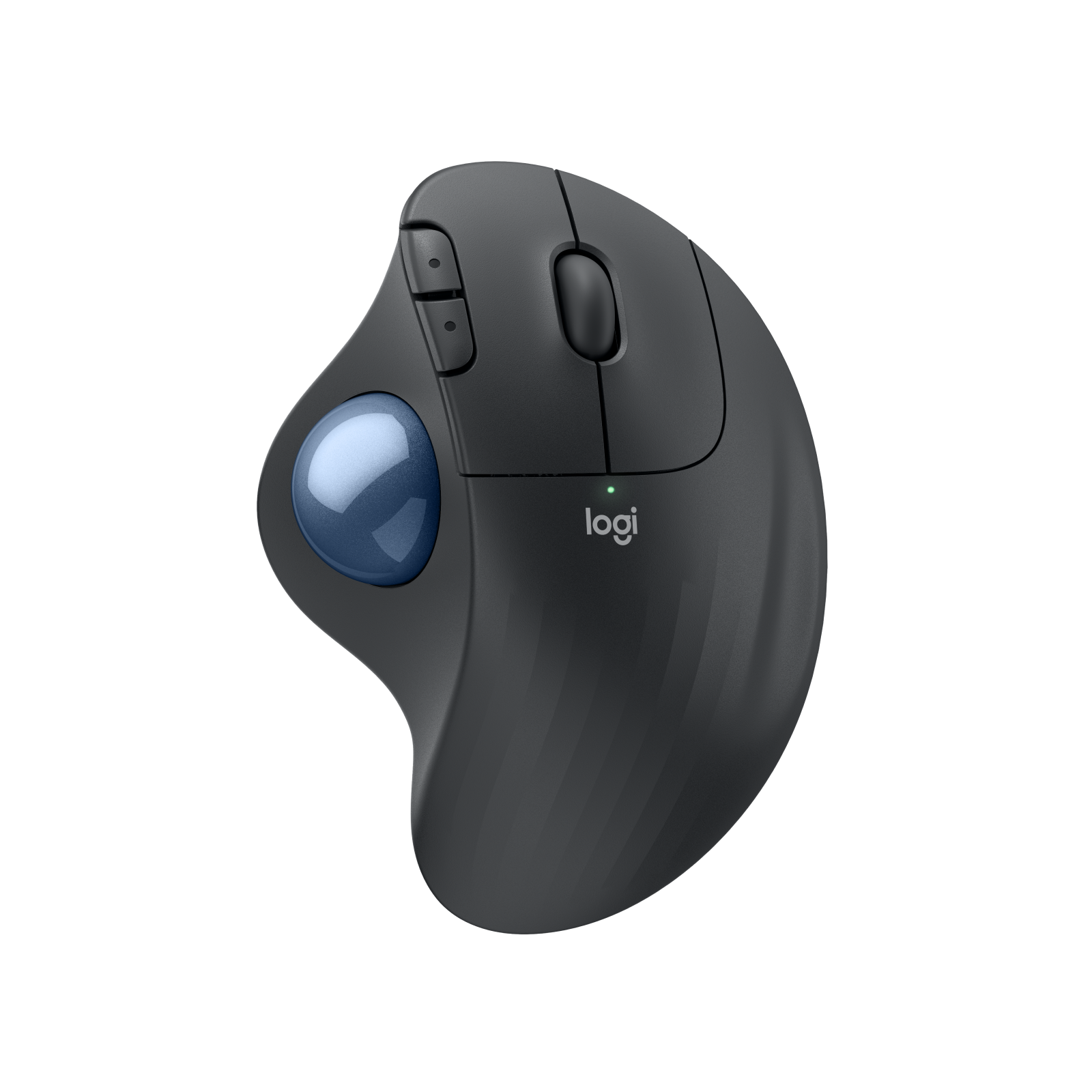
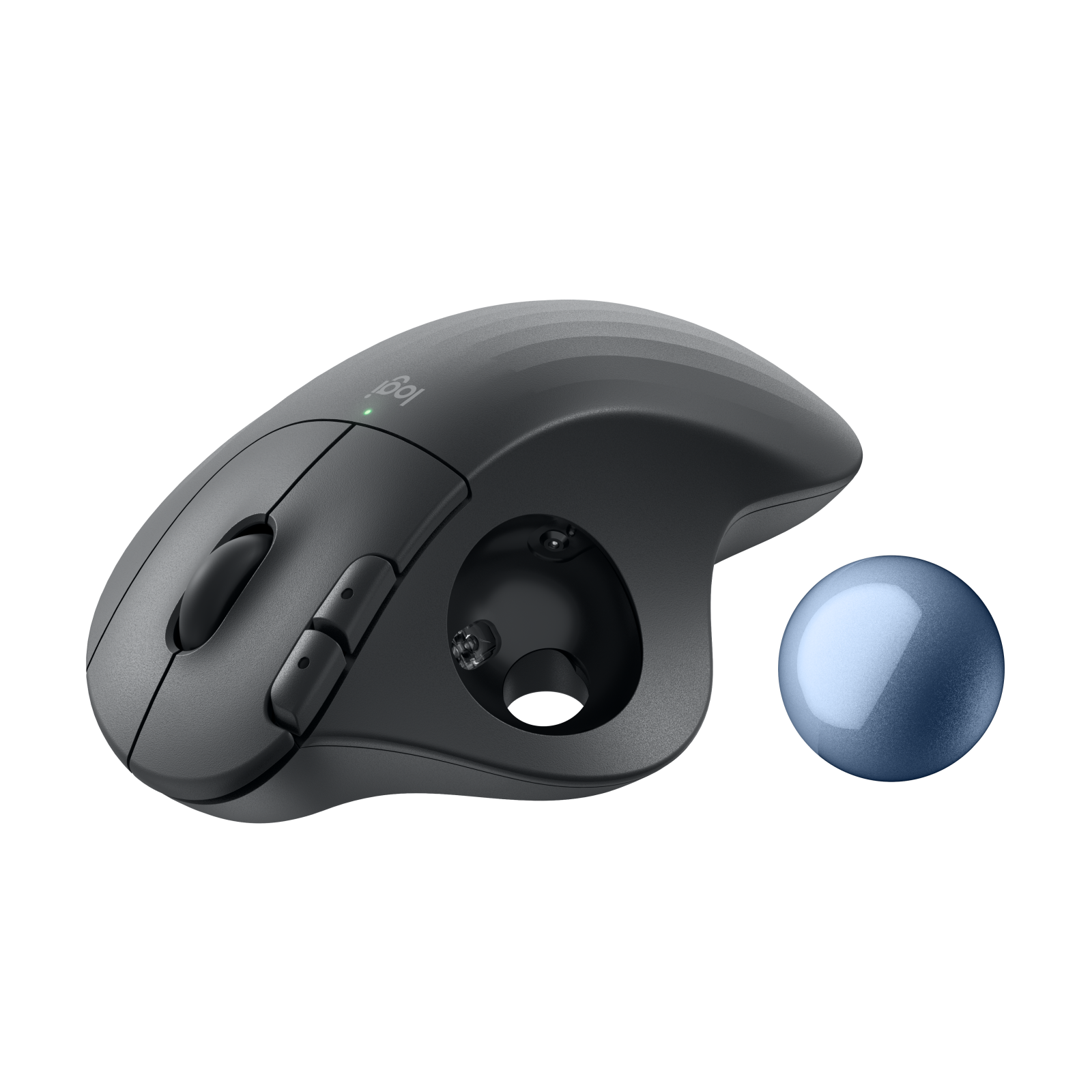
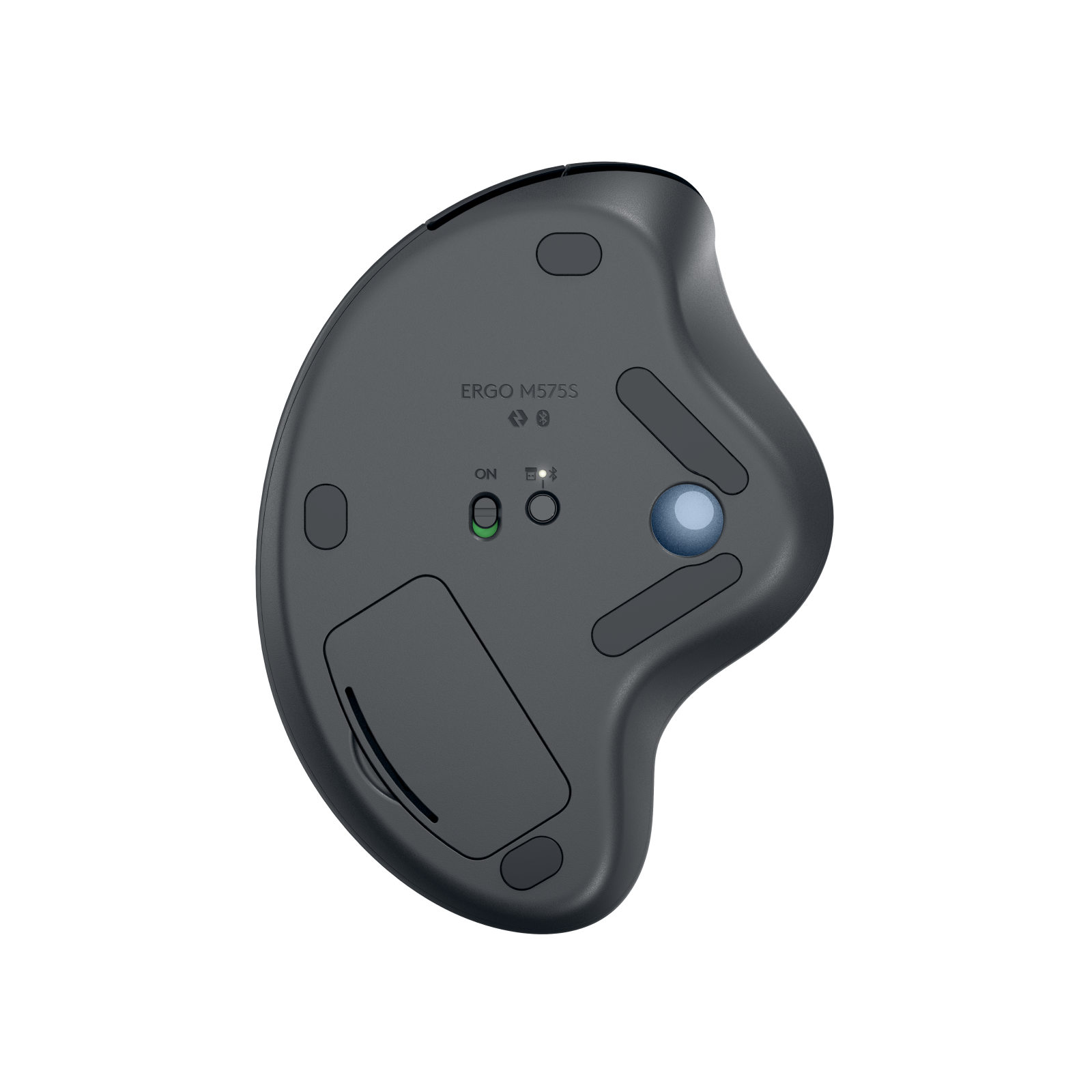
Logitech ERGO M575S Wireless Trackball – Graphite
£38.88
| Colors: Graphite |
In stock
| Delivery | 4–5 working days · Fully tracked |
| Returns | 30 Day Returns |
| Warranty | 12-Month Warranty |
| Payment | Visa · Mastercard · Apple Pay · Klarna |
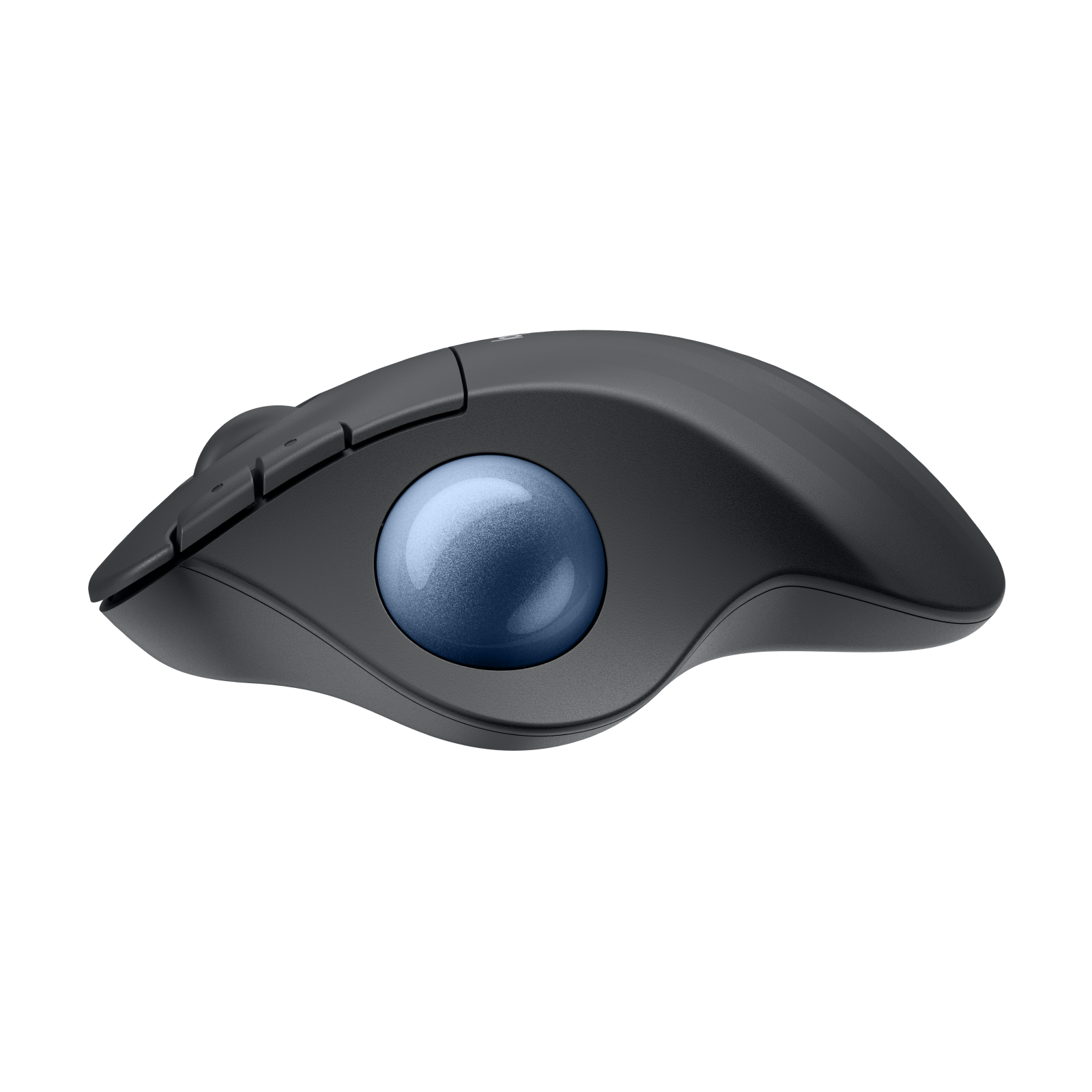
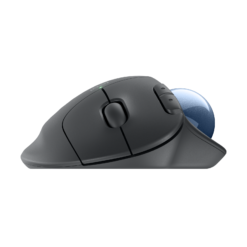
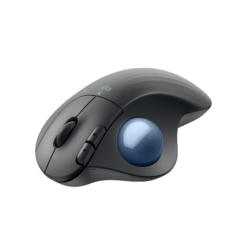
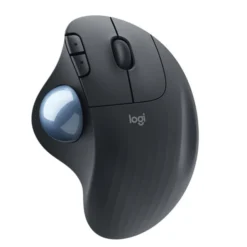
The Logitech ERGO M575S trackball in Graphite with blue ball — model 910-007029. Move the cursor with your thumb while your hand stays still on a sculpted, ergonomist-certified shape. Quiet clicks, Logi Bolt USB receiver and Bluetooth, up to 2,000 DPI and up to 18 months on one AA battery, which is included.
- ✓ Thumb-controlled trackball — move the cursor without moving your arm
- ✓ Quiet clicks — 80% quieter than the original ERGO M575
- ✓ Logi Bolt USB receiver included · Bluetooth · Windows, macOS, ChromeOS, iPadOS, Android
- ✓ Up to 18 months on 1 × AA (included) · 3 customisable buttons · right-handed
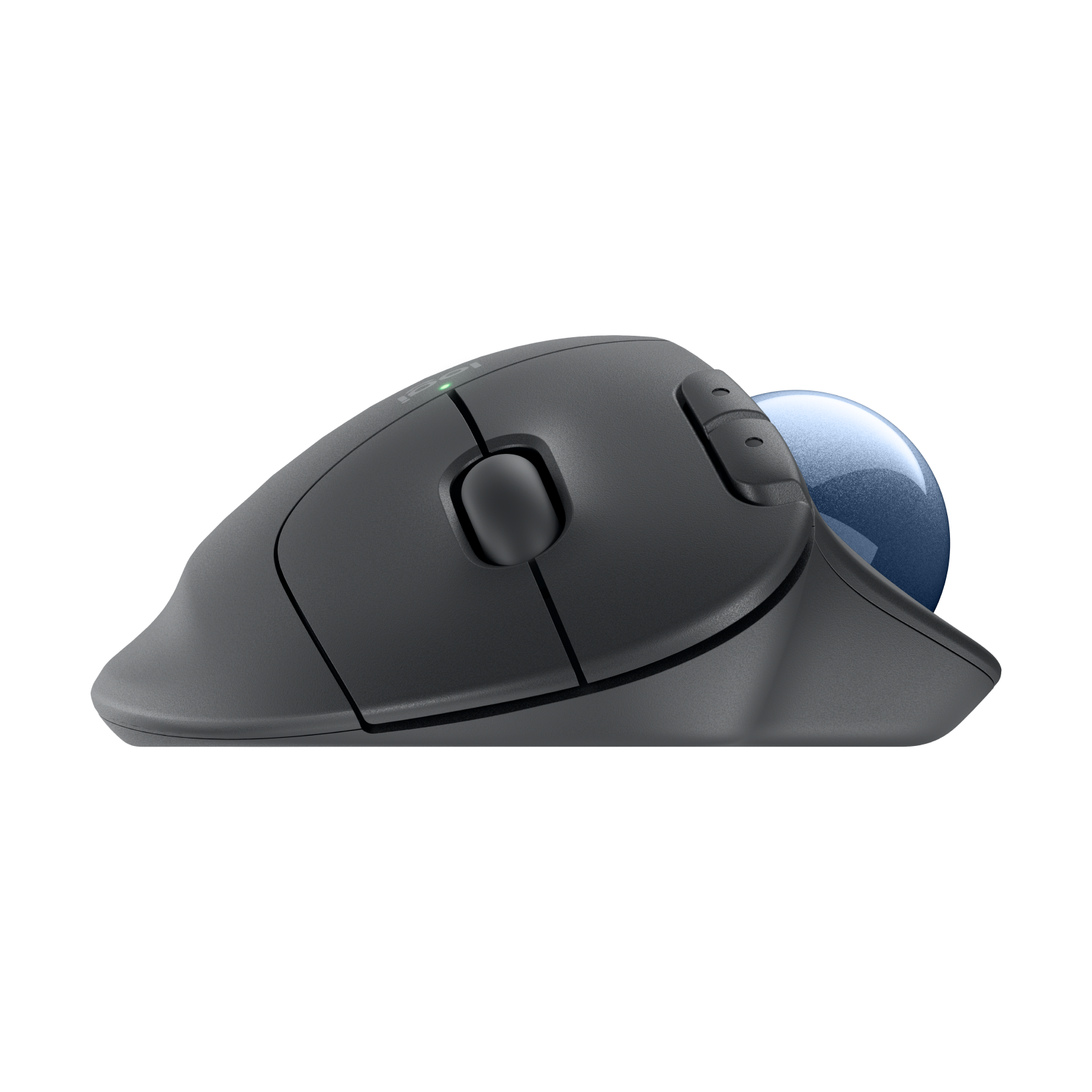
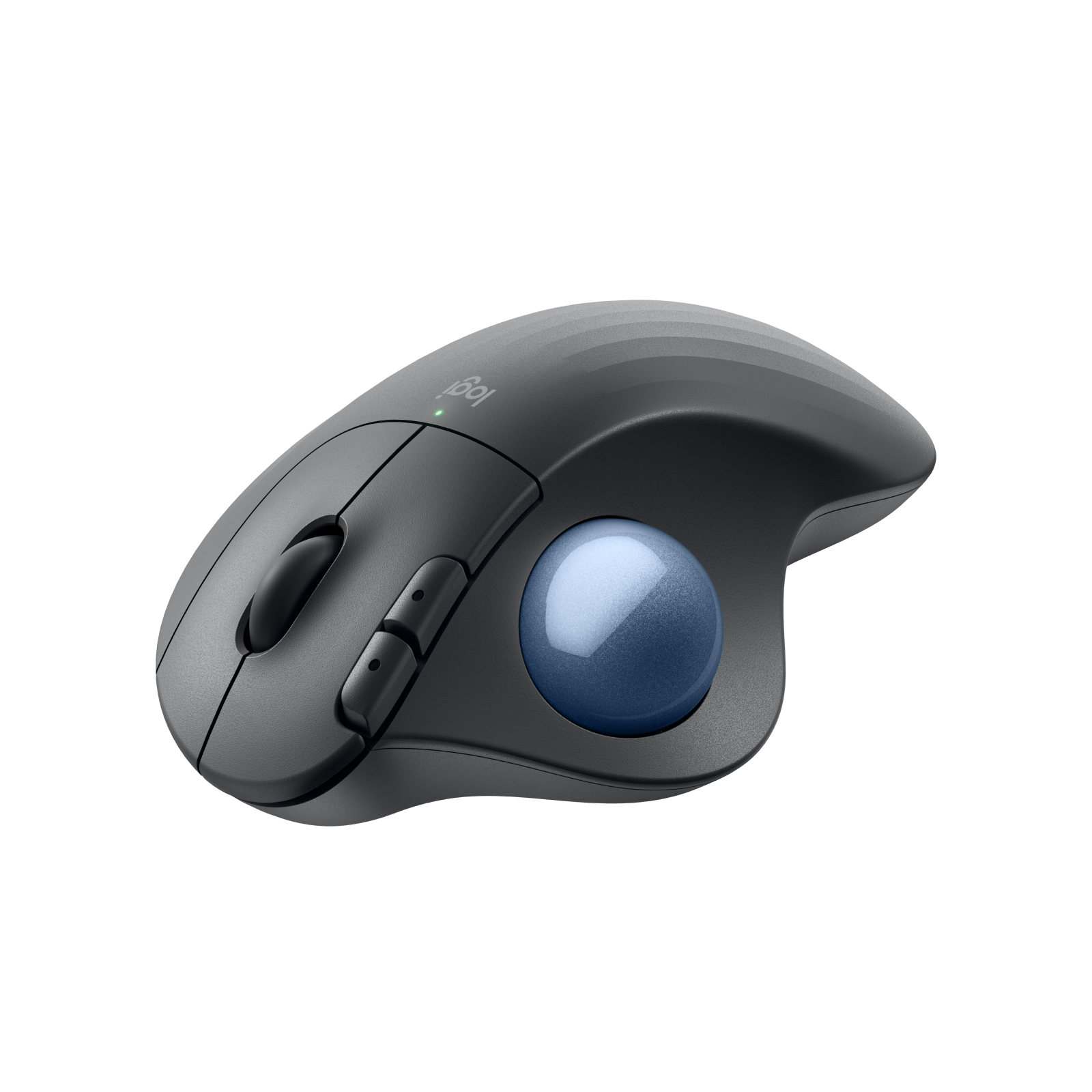
The Logitech ERGO M575S Graphite trackball turns the usual mouse around: instead of moving your hand across the desk, your hand rests on a sculpted body and your thumb rolls a ball to move the cursor. The arm stays still, the wrist stays supported, and the whole thing needs no more desk space than the mouse itself — so it works on a cramped desk, a sofa arm or a lap. The M575S is the 2024 update of Logitech’s long-running ERGO M575: the same well-proven shape, now with clicks that are 80% quieter and the newer Logi Bolt receiver in the box alongside Bluetooth. It was developed with Logitech’s Ergo Lab and certified by ergonomists, and Logitech measured 25% less forearm muscle strain than a standard mouse. A single AA battery, included, lasts up to 18 months. This is model 910-007029 in Graphite with a blue ball.
Thumb Trackball · Ergonomic Shape
Why a Trackball Is Easier on the Arm
With a normal mouse, every cursor movement is an arm movement — small, but repeated thousands of times a day, and it is that repetition that leads to the ache in the forearm and shoulder many office workers know. The M575S removes it. The body stays in one place and the thumb does the moving, so the forearm can rest in a relaxed, supported position all day. The shape is sculpted to fill the palm and tilt the hand slightly, which Logitech’s Ergo Lab found reduces forearm muscle strain by 25% compared with a standard mouse. There is an adjustment period — most people take a few days to feel at home with thumb control, and fine positioning such as selecting text improves quickly with use. The ball is 2.4cm, tracks at up to 2,000 DPI, and the cursor speed can be set in the free Logi Options+ app. Because the mouse never moves, it also works on surfaces a normal mouse cannot use: a sofa, a bed, a lap, glass or a crowded desk with no room to move.
Quiet Clicks · 3 Customisable Buttons
What the “S” Adds Over the Original M575
The M575S keeps the shape, ball and battery life that made the original ERGO M575 a favourite, and changes two things. First, the clicks: Logitech rebuilt the switches so they are 80% quieter while keeping a clear, satisfying click feel — useful in a shared office, on calls, or late at night at home. Second, the receiver: the original M575 shipped with a Unifying receiver, while the M575S comes with Logi Bolt, Logitech’s newer, more secure receiver technology. Note that the two are not interchangeable: the M575S does not pair with an old Unifying receiver you may already have plugged in — use the Bolt receiver in the box or Bluetooth. There are five buttons in total: left, right, the scroll wheel click and Back and Forward beside it. Three of them — Back, Forward and the middle click — can be reassigned in Logi Options+ to shortcuts and Smart Actions that chain several steps into one press.
Logi Bolt + Bluetooth · 18 Months on AA
Connection, Power and Cleaning
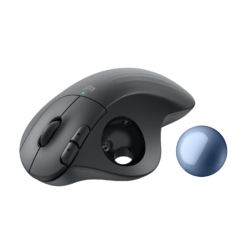
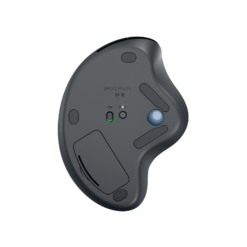
The M575S connects two ways. The included Logi Bolt receiver plugs into a USB-A port and gives a strong, encrypted link that suits busy offices and computers without Bluetooth. Bluetooth Low Energy works with laptops and tablets directly, with no receiver needed. Range is up to 10 metres. It works with Windows 10 and 11, macOS, ChromeOS, iPadOS and Android. Power comes from one AA battery, included in the box, which Logitech rates at up to 18 months — there is nothing to charge and no cable. When it eventually runs out, you swap the battery in seconds. Trackballs need occasional cleaning, and the M575S makes it easy: the ball pops out from underneath with a push of a finger, and a quick wipe of the ball and the three small support points inside restores smooth movement. Doing this every few weeks keeps tracking as smooth as the day you bought it. This model is shaped for the right hand only; there is no left-handed version of the M575S.
Right choice if you…
✔ Get forearm, wrist or shoulder ache from a normal mouse
✔ Have a small or crowded desk — the trackball never moves
✔ Want quiet clicks for a shared office or calls
✔ Would rather change a battery every year or so than charge a mouse
Consider something else if…
✘ You are left-handed — the M575S is right-handed only
✘ You want to reuse an old Unifying receiver — the M575S uses Logi Bolt instead
✘ You want an adjustable tilt and a rechargeable battery — the Logitech MX Ergo trackball offers both
Logitech ERGO M575S Graphite — Technical Specifications
| Brand | Logitech |
| Model | ERGO M575S Wireless Trackball |
| MPN | 910-007029 |
| EAN / GTIN | 5099206111622 |
| Colour | Graphite · blue ball |
| Tracking | Thumb-operated trackball · 2.4cm ball · up to 2,000 DPI |
| Buttons | 5 · quiet clicks · 3 customisable (Back, Forward, middle click) |
| Connection | Logi Bolt USB-A receiver (included) · Bluetooth Low Energy |
| Range | Up to 10m |
| Battery | 1 × AA (included) · up to 18 months |
| Hand Orientation | Right-handed |
| Dimensions | 134 × 100 × 48mm |
| Weight | 145g |
| Compatibility | Windows 10/11 · macOS · ChromeOS · iPadOS · Android |
| Software | Logi Options+ (Windows · macOS) — optional |
| Warranty | Manufacturer warranty (Logitech) |
In the Box
Frequently Asked Questions
How long does it take to get used to a trackball?
Most people are comfortable within a few days. Moving the cursor with the thumb feels unusual at first; precise tasks such as selecting text improve quickly with practice, and cursor speed can be adjusted in Logi Options+.
What is the difference between the M575S and the original M575?
The shape, ball and battery life are the same. The M575S has quieter clicks — 80% quieter according to Logitech — and ships with a Logi Bolt receiver instead of the older Unifying receiver.
Will it work with my old Unifying receiver?
No. The M575S uses Logi Bolt, which is not compatible with Unifying receivers. Use the Bolt receiver supplied in the box, or connect over Bluetooth.
How do I clean the trackball?
Push the ball out from the opening underneath, wipe the ball and the small support points inside with a dry cloth, and pop it back in. Doing this every few weeks keeps tracking smooth.
Is there a left-handed version?
No. The ERGO M575S is designed for the right hand only.
Condition
Brand New — Retail Packaging
Warranty
Manufacturer warranty (Logitech)
Delivery
4–5 Working Days · Fully Tracked
Also Available at maibo
Browse the full mice and peripherals range at maibo.
| Brand | Logitech |
|---|---|
| Colors |
Only logged in customers who have purchased this product may leave a review.
Related products
Gaming Mice
Reviews
There are no reviews yet.